
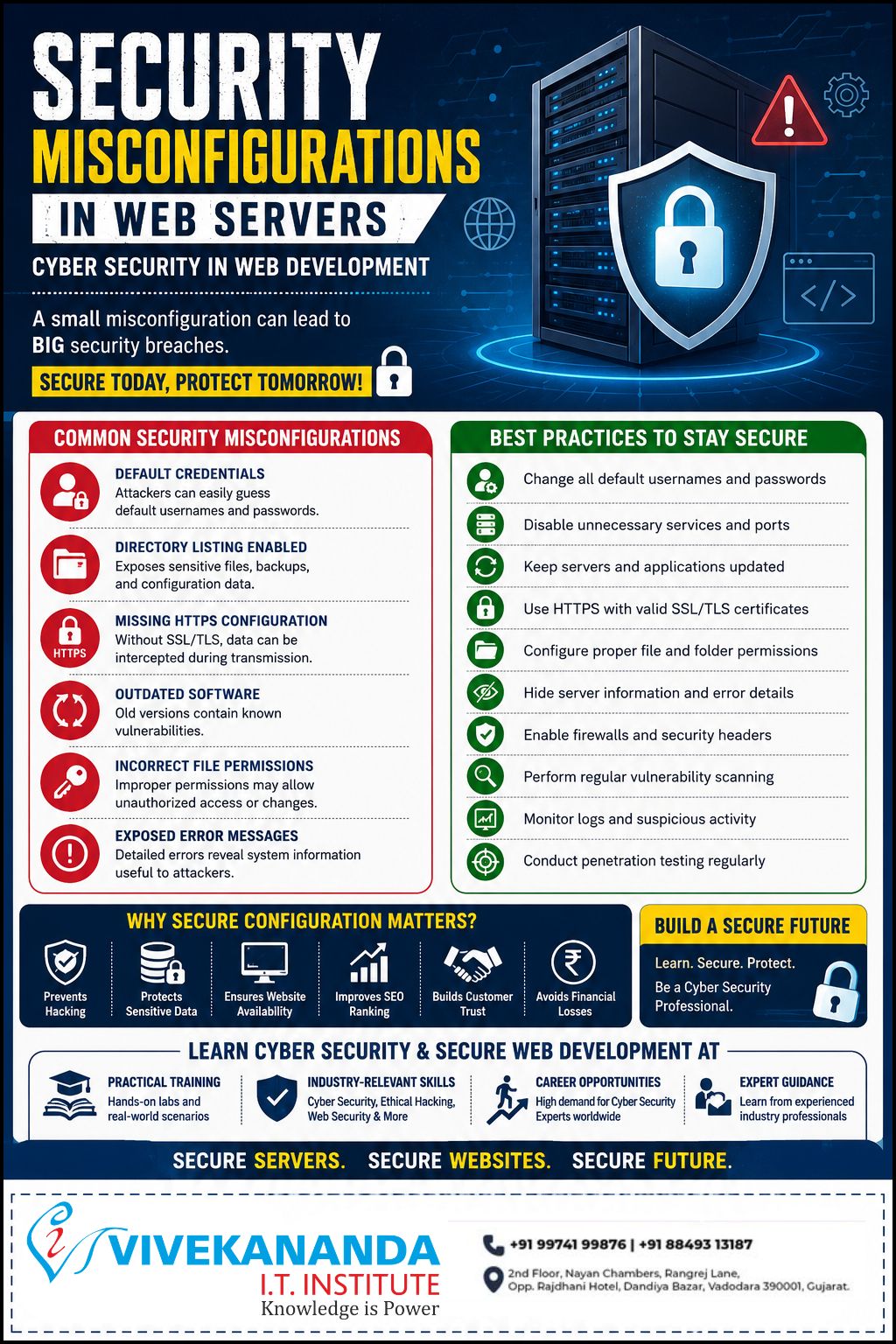
In today’s digital world, web applications and websites are constantly exposed to cyber threats. Among the most common and dangerous vulnerabilities are Security Misconfigurations. Improperly configured web servers, applications, databases, and frameworks can create easy entry points for attackers, leading to data breaches, website defacement, malware infections, and unauthorized access.
As businesses increasingly rely on online platforms, secure server configuration has become a fundamental part of modern cyber security and secure web development.
At Vivekananda IT Institute, Baroda, students learn how to identify, prevent, and manage real-world server vulnerabilities through practical cyber security training, ethical hacking techniques, penetration testing, and secure web application development.
What Are Security Misconfigurations?
Security misconfiguration occurs when a web server, application, cloud environment, database, or framework is deployed with insecure settings or default configurations. Attackers actively scan websites and servers for these weaknesses because they are often easy to exploit.
Even a small configuration mistake can expose sensitive data or compromise an entire system.
Common causes of security misconfigurations include:
- Default usernames and passwords
- Unsecured admin dashboards
- Open ports and unnecessary services
- Improper file and folder permissions
- Outdated Apache, Nginx, PHP, or CMS versions
- Exposed backup files
- Missing HTTPS or SSL/TLS protection
- Detailed error messages revealing server information
- Misconfigured cloud storage or databases
Why Security Misconfigurations Are a Major Cyber Security Risk
Security misconfigurations are considered one of the top web application vulnerabilities because they can provide attackers with direct access to systems and sensitive information.
A single insecure configuration can result in:
- Website hacking
- Data breaches
- Malware injection
- Unauthorized server access
- Information leakage
- Website downtime
- SEO ranking penalties
- Financial losses
- Damage to business reputation
- Loss of customer trust
For organizations, prevention is far less costly than recovering from a cyber attack. This is why understanding secure server management is essential for every web developer, system administrator, and cyber security professional.
Common Web Server Security Misconfigurations
1. Default Credentials
Many servers, routers, CMS platforms, and admin panels are deployed with default usernames and passwords. Attackers often use automated tools to identify and exploit these weak credentials.
Example:
- Username: admin
- Password: admin123
2. Directory Listing Enabled
If directory listing is not disabled, attackers may view sensitive files, backups, configuration files, or source code directly from the browser.
Risks:
- Exposure of confidential data
- Leakage of database backups
- Access to hidden application files
3. Missing HTTPS and SSL/TLS Protection
Without HTTPS encryption, user data transmitted between the browser and server can be intercepted by attackers.
Risks:
- Credential theft
- Session hijacking
- Data interception
Secure SSL/TLS configuration is essential for protecting user privacy and maintaining website trust.
4. Outdated Software and Plugins
Old versions of Apache, Nginx, PHP, WordPress, plugins, or frameworks often contain publicly known vulnerabilities that attackers can exploit.
Risks:
- Remote code execution
- Privilege escalation
- Website compromise
Regular updates and patch management are critical for maintaining server security.
5. Improper Access Controls
Weak file permissions or unrestricted access settings can allow attackers to modify, delete, or steal sensitive information.
Example:
- Public access to configuration files
- Writable directories accessible by all users
6. Detailed Error Messages
Verbose error messages can reveal internal server paths, database structures, technologies in use, and application logic.
Risks:
- Information disclosure
- Easier exploitation for attackers
Production servers should always display generic error messages while logging detailed errors securely.
Best Practices to Prevent Security Misconfigurations
Organizations and developers can significantly improve cyber security by following secure configuration practices.
Essential Security Measures
Change Default Credentials
Immediately replace all default usernames and passwords with strong, unique credentials.
Disable Unnecessary Services and Ports
Only keep required services active to reduce the attack surface.
Keep Systems Updated
Regularly update:
- Web servers
- Operating systems
- CMS platforms
- Plugins
- Frameworks
Enable HTTPS with SSL/TLS
Use valid SSL certificates to encrypt communication and secure user data.
Configure Proper File Permissions
Restrict access to sensitive files and directories using the principle of least privilege.
Hide Server Information
Disable unnecessary server banners and detailed error messages.
Implement Firewalls and Security Headers
Use:
- Web Application Firewalls (WAF)
- Security headers
- Intrusion detection systems
Perform Regular Vulnerability Scanning
Identify weaknesses before attackers exploit them.
Monitor Logs and Suspicious Activity
Continuous monitoring helps detect intrusion attempts and unusual behavior.
Conduct Penetration Testing
Regular ethical hacking assessments help evaluate server security and identify hidden vulnerabilities.
Importance of Cyber Security Education in Web Development
Modern web developers must understand both development and security. Building functional applications is no longer enough. Applications must also be secure against evolving cyber threats.
Cyber security education helps students learn:
- Secure coding practices
- Server hardening techniques
- Ethical hacking concepts
- Vulnerability assessment
- Web application security
- Penetration testing methodologies
Practical exposure to real-world attack scenarios prepares students for modern IT and cyber security careers.
Learn Cyber Security at Vivekananda IT Institute, Baroda
Vivekananda IT Institute, Baroda provides practical and industry-oriented training designed to help students build strong technical and security skills.
Training Programs Include:
- Cyber Security
- Ethical Hacking
- Web Application Security
- Secure Web Development
- Penetration Testing
- Network Security
- Server Security Management
Why Choose Vivekananda IT Institute?
Practical Hands-On Training
Students work on real-world cyber security scenarios, server configurations, and vulnerability analysis.
Industry-Relevant Skills
Training includes modern cyber security tools, ethical hacking methodologies, and secure development practices.
Career Opportunities
Cyber security professionals are highly demanded across industries including IT, finance, healthcare, cloud computing, and e-commerce.
Expert Guidance
Experienced trainers provide practical insights into modern web security and cyber defense strategies.
Conclusion
Security misconfigurations remain one of the leading causes of website attacks and data breaches worldwide. Even small configuration mistakes can expose critical systems to serious cyber threats.
Proper server hardening, secure configuration management, continuous monitoring, and regular security assessments are essential for protecting web applications and user data.
For students and professionals looking to build expertise in cyber security and secure web development, Vivekananda IT Institute, Baroda offers practical training, real-world exposure, and industry-focused learning to help build a successful career in the rapidly growing field of cyber security.